/*
* Implements hook_css_alter()
*/
function dranattheme_css_alter_x(&$css) {
// Remove colors.css file.
unset($css[drupal_get_path('theme', 'anat') . '/color/colors.css']);
}
drupal 7
For debugging: Add a call to watchdog in the module or template.php, and set the type to the module or theme name:
watchdog($type, $message)
To view the messages you added using the watchdog, go to Administration >> Reports >> Recent log messages
Problem:
Changing theme colors using the admin area failed.
Solution:
The logo.png file was missing from the theme's root folder, probably causing a uncaught exception that caused the bug. After locating the image file in thr correct place (root folder), the problem ceased.
Pre-defined color schemes
Pre-defined color schemes are declared in 'color.inc' file, as an array inside 'schemes' array, and are executed in 'preview.js'. So we can use these 2 files to add color definitions to the theme.hook_css_alter()
Example from Seven theme:
Use Collapsiblock Module.
It allows you to set site wide definitions regarding default collapsing behavior, and also to set block specific definitions.
To set individual blocks, go to Administration » Structure » Blocks page, and use the configure link next to the block's name.
NetBeans
To apply patches to code using NetBeans:
Open the project and right-click on the file or folder you want to patch.
Tools > Apply Diff Patch...
Browse to and select the patch file you want to apply. > Click "Patch".
Quoted from Drupal.org site
I used it to apply patches on Views Calc module. It worked only when I initiated the action from the file, and not from the module's folder.
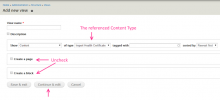
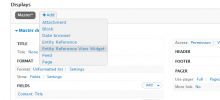
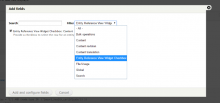
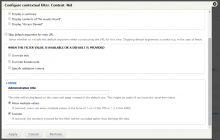
This Tutorial is for users that already used Entity Reference and Views. It is based on "Drupal Entity Reference View Widget - Daily Dose of Drupal episode 175" by Shane Thomas.
Required Modules:
Add Entity Reference View Widget to your already installed Entity Reference and Views modules.
45 Modules in 45 Minutes
by Rod Martin, Director of Training at Open Source Training
The Code Filter module provides an easy method to integrate code snippet in node content.
It displays the code in a distinct form, and with no need to handle special characters.
See more information in Daily Dose of Drupal Episode 44
Need: I have a content type with a File field. When this field is displayed, I want it to show only icon without any text.
The current formats are either "Generic file" (icon + file name), "Table of files" (icon + file name + size) and "URL to file" (the entire file's URL).
I want to add a format "File icon", that will display an icon that utilizes as a link to the file.
What I did:
I created a very simple module called "File icon". I placed the file_icon directory in sites\default\modules