Using a view as input for an Entity Reference field
This Tutorial is for users that already used Entity Reference and Views. It is based on "Drupal Entity Reference View Widget - Daily Dose of Drupal episode 175" by Shane Thomas.
Required Modules:
Add Entity Reference View Widget to your already installed Entity Reference and Views modules.
In views:
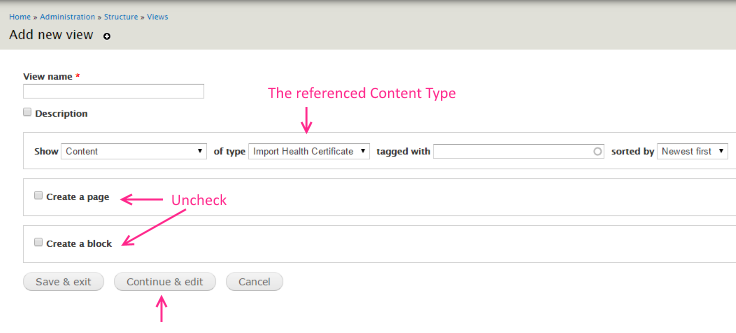
Create new view for the selected items list.
Uncheck page and block and hit continue and edit
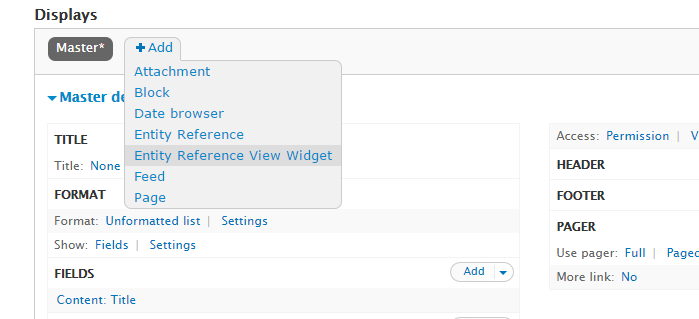
click the +Add button and select Entity Reference View widget as the type
under Format select Table
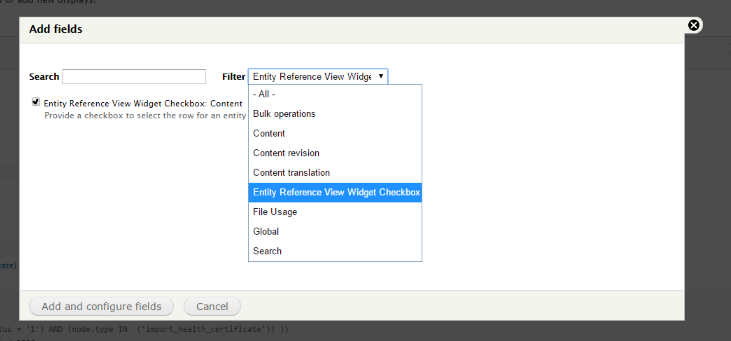
Add fields: Most important will be "Entity Reference View widget checkbox (exclude labe from display and rearrange fieds, so the checkbox will apear first)
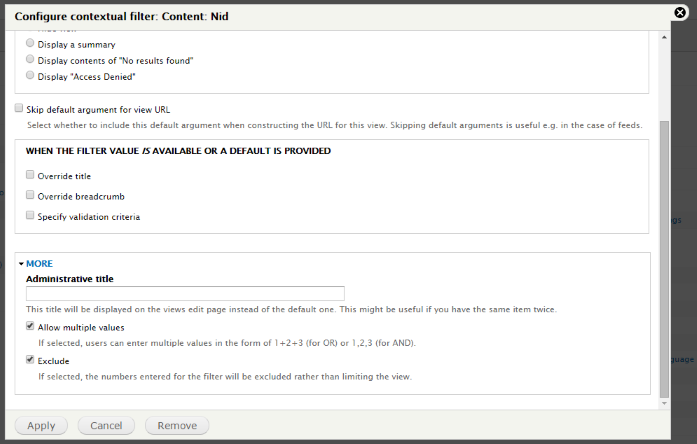
in contextual filters, check Nid, and under More, check both items: Allow multiple and Exclude.
If you have a long list of values to choose from, add column sorting and filters, Including exposed filters if needed. In advanced > Use Ajax, set value to Yes.
In the content type that requires an Entity Reference Field:
Create the Entity Reference Field, and set Views as the selected widget
Select the view
check "Pass selected entry ids to view" and "Close window after submit"